Free Tools overview
A toolbox of eleven small helpers: notes, reminders, tags, blur, number checking, export, backup, group tools, chat links, scheduled Status and settings.
Free Tools is a toolbox of small helpers to protect your screen, check numbers, export and back up your data, manage groups, make chat links and post to your Status. It is the wrench icon, the fourteenth in the WAFlow bar.
The tiles#
You see eleven tiles. Click a tile to open that tool. Click the wrench again to come back to the tiles.
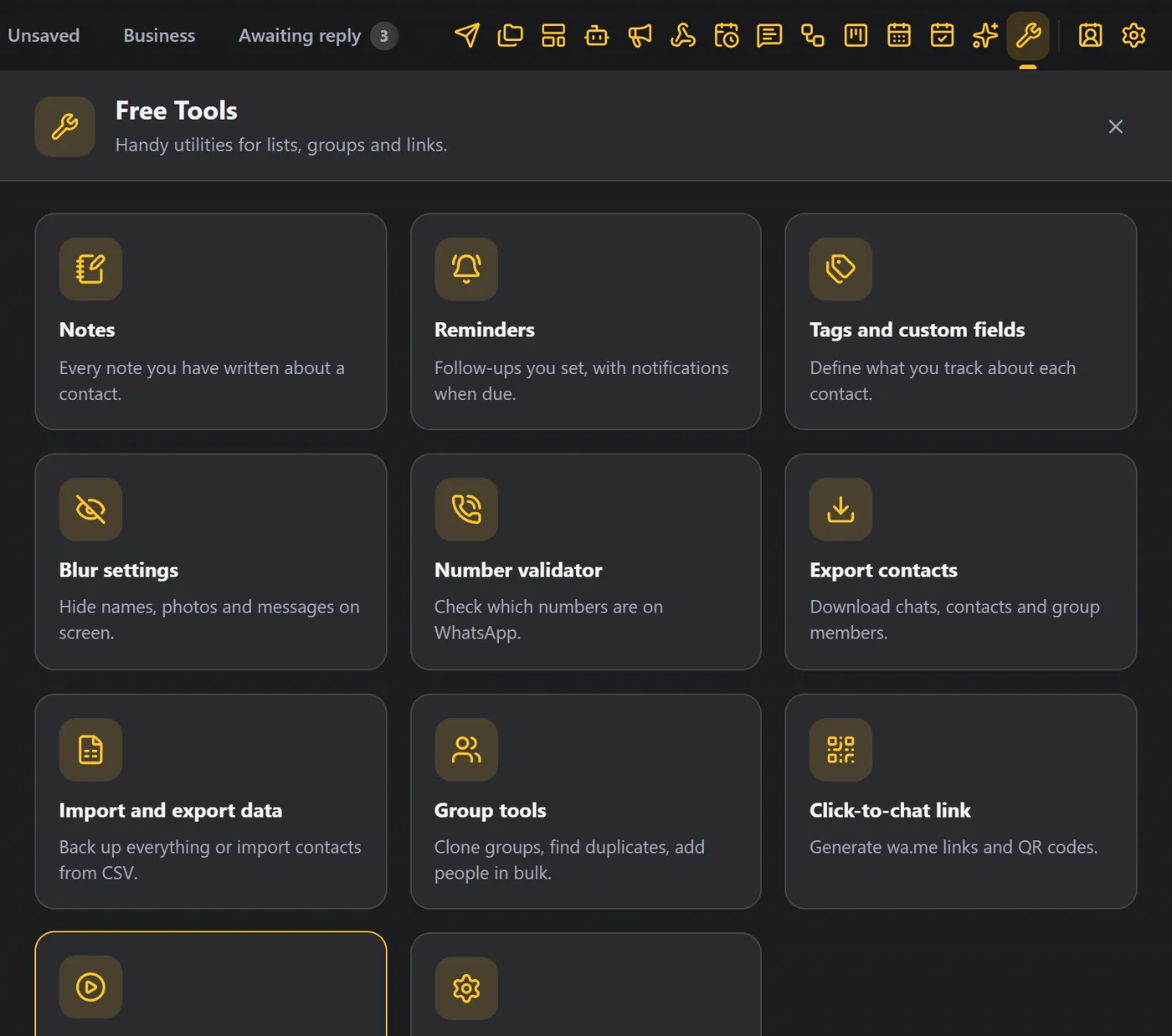
| Tile | What it is | Read |
|---|---|---|
| Notes | Every note you wrote about a contact, in one list. | Notes and reminders |
| Reminders | Follow-ups you set, with notifications when due. | Notes and reminders |
| Tags and custom fields | Define what you track about each contact. | Tags and custom fields |
| Blur settings | Hide names, photos and messages on screen. | Blur |
| Number validator | Check which numbers are on WhatsApp. | Number validator |
| Export contacts | Download chats, contacts and group members. | Export contacts |
| Import and export data | Back up everything, or import contacts from CSV. | Import and export data |
| Group tools | Clone groups, find duplicates, add people in bulk. | Group tools |
| Click-to-chat link | Generate wa.me links and QR codes. | Click-to-chat link |
| Scheduled Status | Post to your WhatsApp Status at the time you choose. | Scheduled Status |
| Module settings | Safety limits, your signature, interface and diagnostics. | Module settings |
Tips#
- Turn blur on before you share your screen.
- Check numbers before a big broadcast.
- Download a backup every week.