Introduction to WAFlow
What WAFlow is, what it does, everything that is inside it, how people use it every day, and who it is for.
WAFlow is a Chrome extension that turns WhatsApp Web into a CRM and an automation tool. You keep using WhatsApp exactly as you do today. WAFlow adds what is missing: a bar of tools across the top, a side panel for every contact, and bots that answer for you when you are busy.
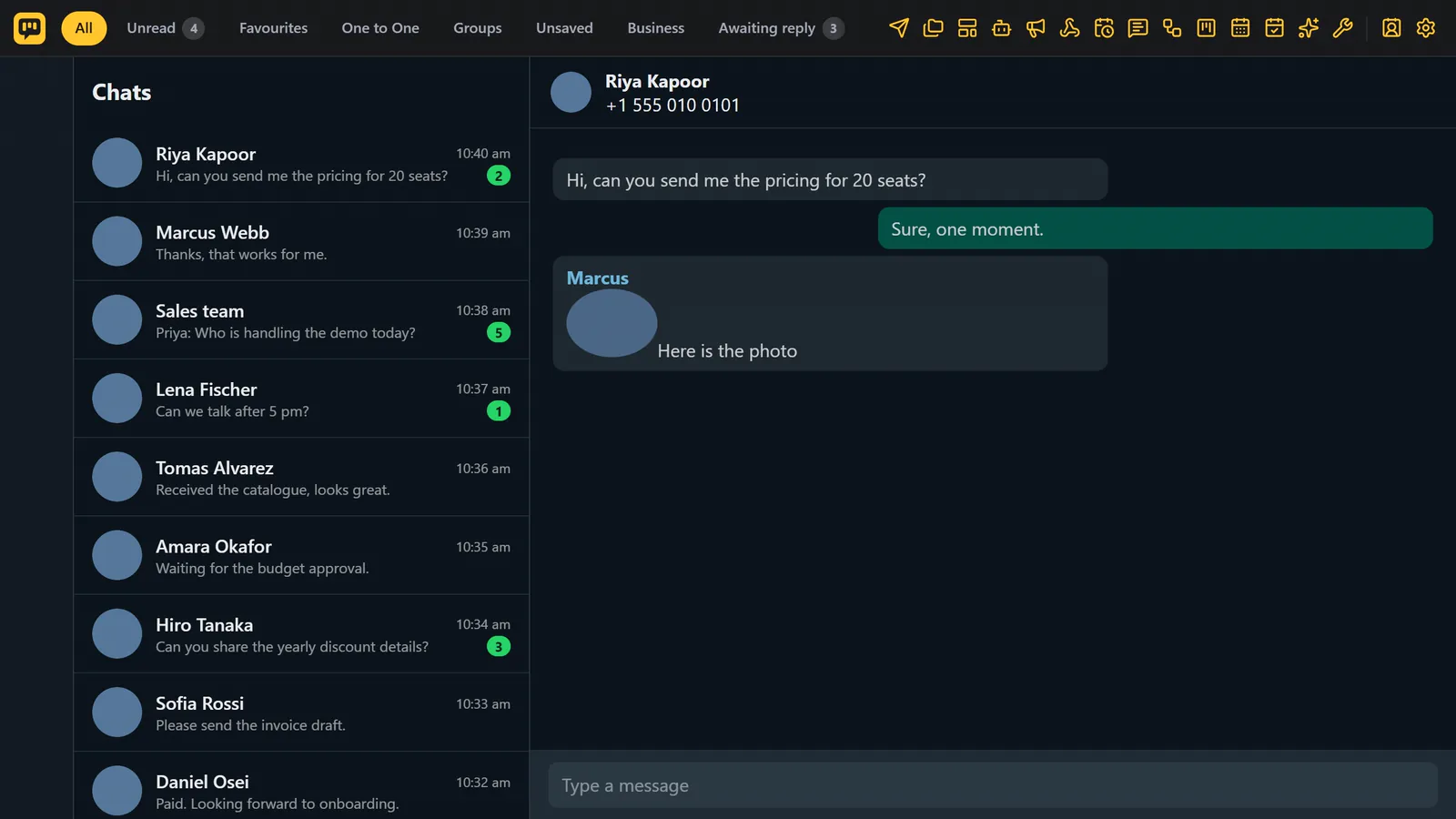
What WAFlow does for you#
WAFlow helps with four jobs.
- Talk to customers faster. Send one message to many people, reuse your best replies, and personalise every message with the customer's name.
- Answer automatically. Keyword bots, drawn chatbot flows and an AI assistant reply while you do other things, and hand over to you when a person is needed.
- Keep track of every lead. Every contact has tags, notes, reminders and appointments, and every chat can sit on a Kanban board.
- Reach many people at once, safely. Broadcasts and schedules are paced, capped per hour and reported on, so you stay in control.
A day with WAFlow#
A new customer writes to you. A chatbot greets them by name and asks what they need. The AI assistant answers the common questions from your own knowledge. You see a card on your Kanban board, with a tag and a note. A reminder brings you back to them tomorrow, and an appointment on the calendar sends them a message before the visit.
Everything that is inside#
| Group | Tools |
|---|---|
| Send | Send Message, Schedule, Schedule Broadcast |
| Reuse | Templates, Canned Responses |
| Automate | Message Bot, Chatbot Flows, AI Assistant, Webhooks |
| Know your contacts | Contact details, Tags and custom fields, Notes and reminders, Kanban, Custom Tabs |
| Book | Calendar, Appointments |
| Tools | Free Tools: blur, number validator, export, backup, group tools, chat links, scheduled Status |
| Control | Settings: pause automations, signature, appearance, eleven languages |
Who uses WAFlow#
WAFlow is made for small and medium businesses that sell and support on WhatsApp.
- Shops and restaurants. Customers ask the same questions all day: hours, prices, delivery. A chatbot or the AI assistant answers them, and hands over when someone needs a person.
- Sales teams and freelancers. Every new chat becomes a card on a Kanban board. Notes and reminders make sure nobody is forgotten, and tags show who is a hot lead.
- Clinics, salons, schools and coaches. Book appointments from the chat, see them on the calendar, and remind the customer before they come.
- Marketers and agencies. Send an offer to a list or a tab, with the first name in it, at a safe speed. Webhooks can send new leads to a spreadsheet.
- Support teams. Canned responses and templates for the answers you give again and again, a chatbot for the first questions, and a hand over to a person when it gets hard.
- Real estate, travel and education. Custom fields keep the budget, the course or the trip. The AI starter kits give you a head start on the questions customers ask.
Where your data lives#
Everything you create in WAFlow (contacts, notes, boards, bots, templates, settings) is stored in your own browser. Your chats stay in WhatsApp. The AI features use your own key and talk straight to the service you choose. The only thing WAFlow asks its own server is whether your license is valid. A license belongs to one WhatsApp number. Read more on Privacy and data.
What to know before you start#
WAFlow runs in Chrome on a computer. For bots, schedules, broadcasts and reminders to work, WhatsApp Web has to stay open in a Chrome tab.
WAFlow is not made by WhatsApp or Meta. WhatsApp can restrict numbers that send many similar messages quickly, so keep delays natural and start small. See Safe sending.
Next step#
- Install the extension in Chrome.
- Activate your license, or start a free trial.
- Take the tour of the WAFlow bar, then follow the first day checklist.