Import and export data
Back up everything WAFlow has saved, restore it in another browser, and import or export your CRM contacts as CSV.
Import and export data is where you back up your work, move it to another browser, and bring contacts in from a spreadsheet. It is a tile in Free Tools. You can also reach the backup screen from Settings → Backup and restore.
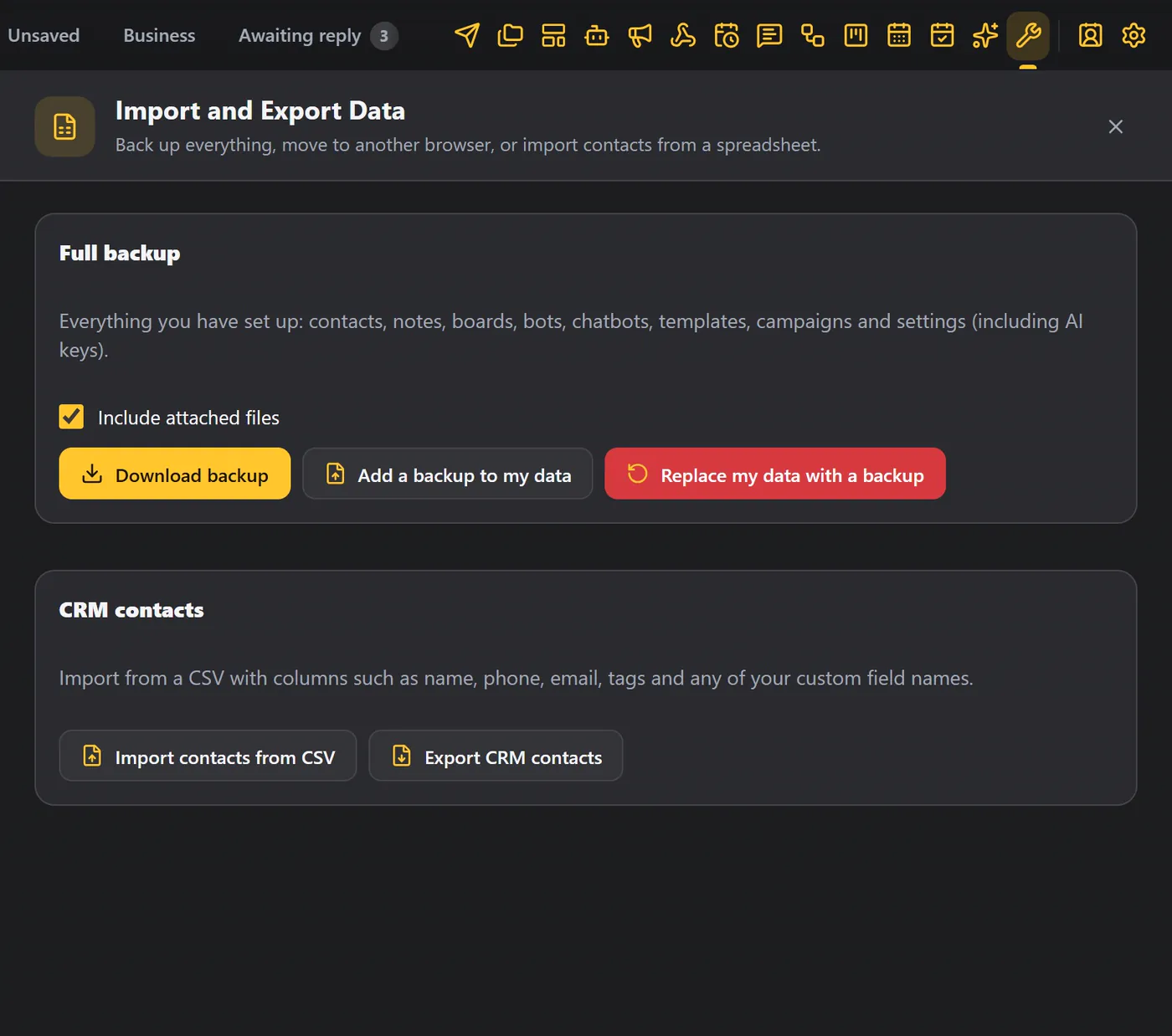
Full backup#
Download backup saves everything in one file: contacts, notes, boards, bots, chatbots, templates, campaigns and settings, including your AI keys.
- Include attached files is ticked by default, so pictures and documents in your templates and messages come along.
- When it is done, a message says Backup saved with the size of the file.
A backup contains your AI keys. Store it somewhere safe and do not share it.
Restore a backup#
There are two ways to bring a backup back.
| Button | What it does |
|---|---|
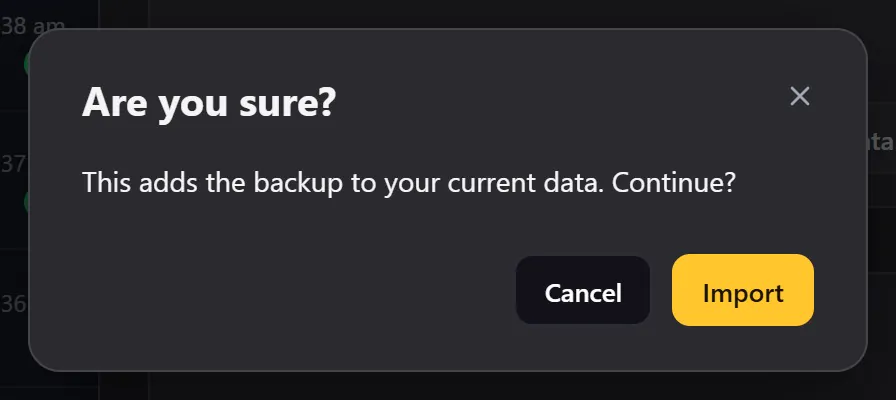
| Add a backup to my data | Merges the backup with what you have now. |
| Replace my data with a backup | Swaps everything for the backup. Because this replaces your current data, WAFlow asks you to confirm first. |
When to make a backup#
- Every week, as a habit.
- Before you erase data.
- Before you change browsers or computers.
- Before you load WAFlow from a different folder. See Install the extension.
CRM contacts as CSV#
Import contacts from CSV#
Import contacts from CSV reads a file with a header row. The columns can be:
name, phone, email, tags, and any of your custom fields.
- The phone is required.
- Numbers that are too short are skipped.
- New tags are made for you. To give a contact several tags in one cell, separate them with a semicolon (
;) or a vertical bar (|).
When it is done you see a summary such as Imported 4 contacts, skipped 1 without a valid number.
Example file:
name,phone,email,tags,company
Riya Kapoor,+15550100101,riya@example.com,"Lead;VIP",Rao Traders
Marcus Webb,+15550100102,marcus@example.com,Customer,Hadded Foods
Export CRM contacts#
Export CRM contacts saves all your contacts, with their tags, board and custom fields, in one CSV. Use it to load your contacts into another tool, or to edit them in a spreadsheet and import them again.
Export contacts (in Free Tools) exports your chats, by list, tab, board or tag. Export CRM contacts here exports the contact records you created in WAFlow. See Export contacts.
Erase all data#
If you ever want to start over, Settings → Module settings → Data → Erase all data deletes everything WAFlow saved in this browser, after you confirm. Make a backup first. See Module settings.