Notes and reminders
Keep a private notebook for every contact, and set follow-up reminders that notify you when they are due.
Notes and reminders live in the contact details panel, on their own tabs. Open a chat, click Contact details (icon 15), and choose Notes or Reminder.
Notes#
Notes is a private notebook for this contact. Your customer never sees it.
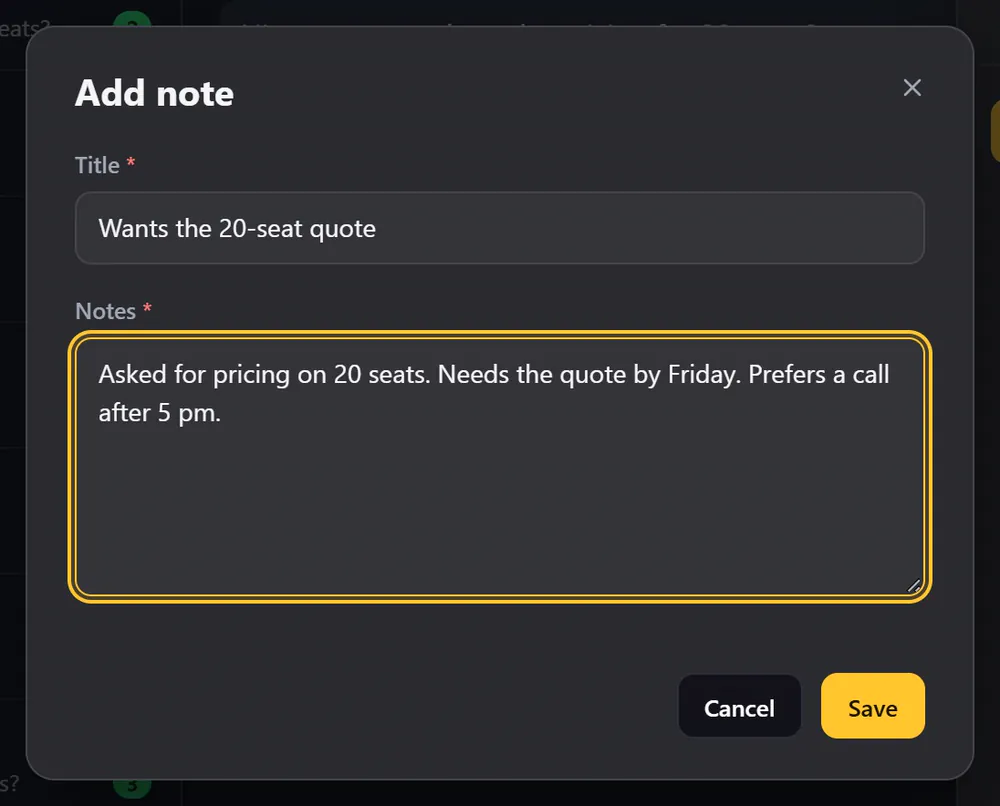
- Click Add note.
- Write a title and the note.
- Click Save.
Each note shows when it was last changed. Use the pencil to edit it and the bin to delete it.
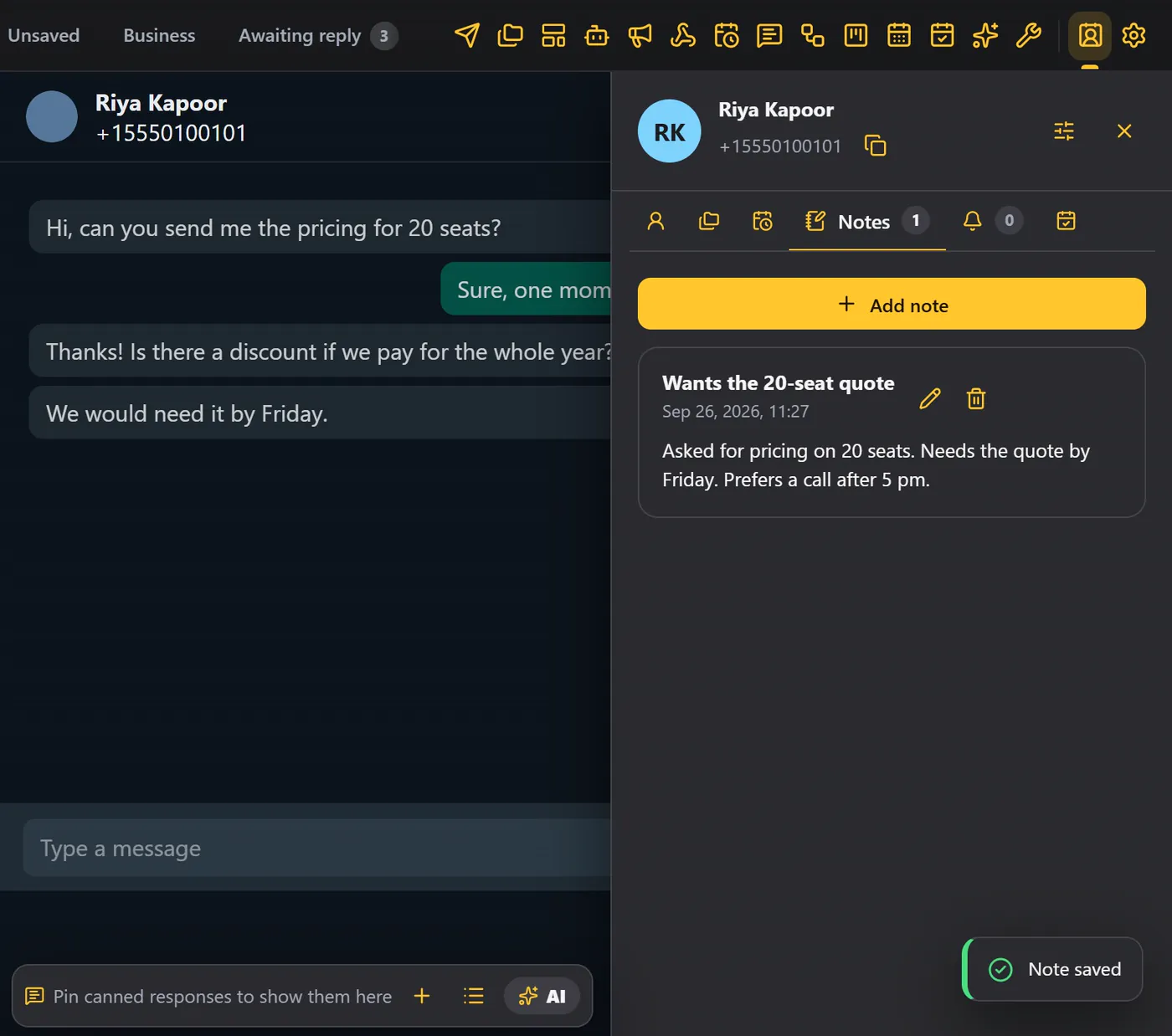
The Notes tab shows how many notes the contact has.
Use tags for who they are, and notes for what happened: what they asked, what you promised, what to do next.
Reminders#
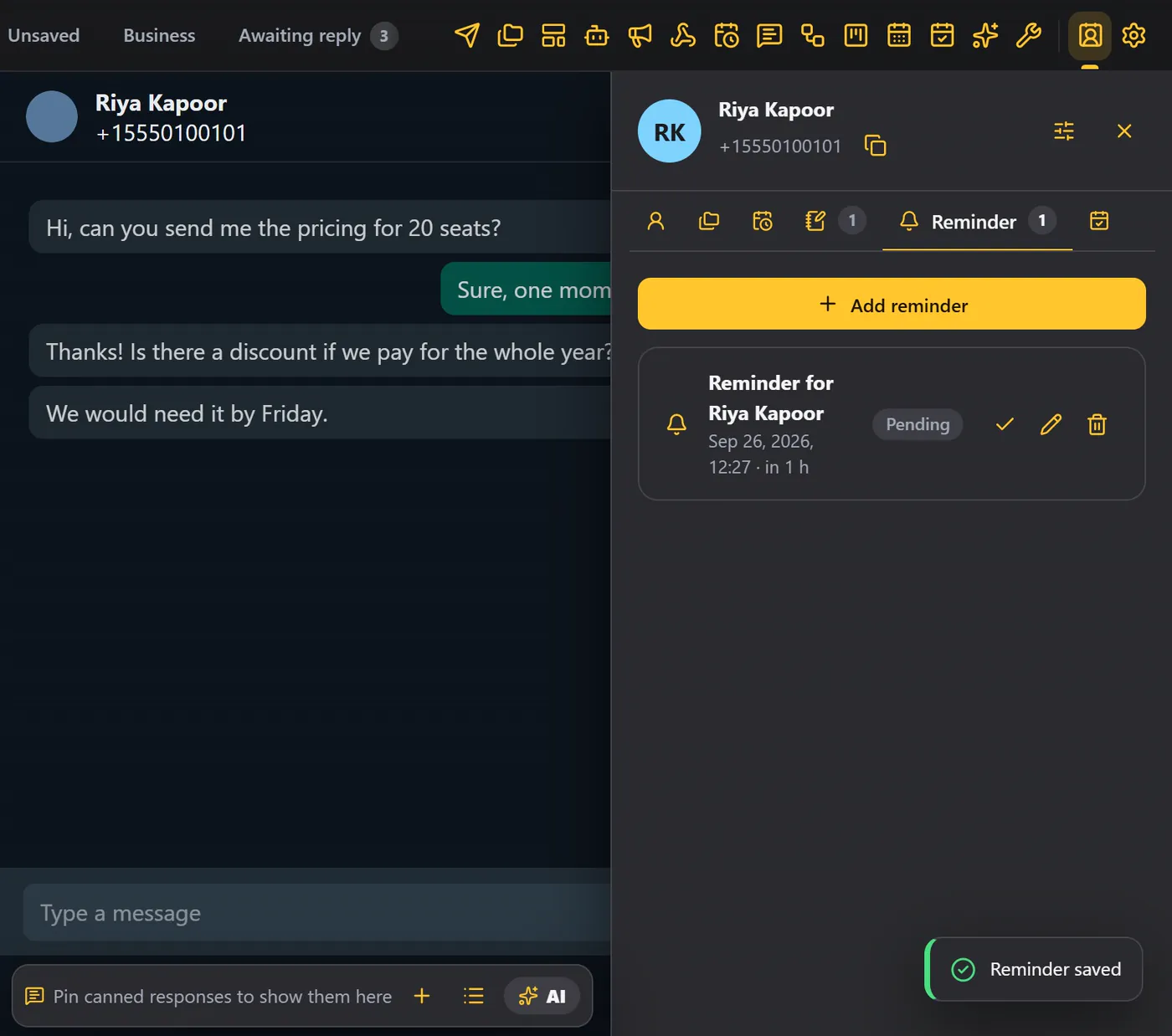
Reminders are follow-ups. WAFlow shows a notification when one is due.
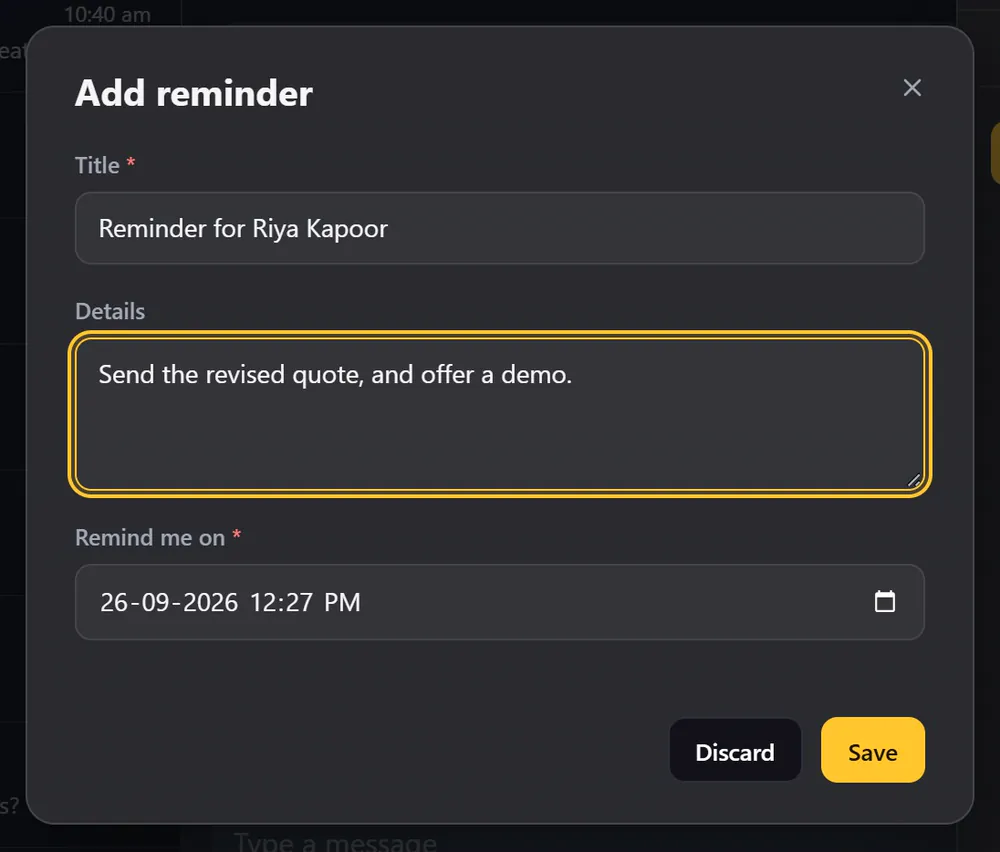
- Open the Reminder tab and click Add reminder.
- The title is filled in for you (for example Reminder for Riya Kapoor). Change it if you like.
- Add details if you like.
- Choose when to be reminded.
- Click Save.
The life of a reminder#
| State | Meaning |
|---|---|
| Pending | A new reminder, waiting for its time. |
| Unread | The time has come. WAFlow shows a notification. |
| Missed | WhatsApp Web was closed when it was due. |
| Read | You marked it as done. |
When the notification appears, click Open to come straight to the contact, and Mark as read when you are done.
Reminders fire while WhatsApp Web is open in Chrome. If it was closed when a reminder came due, the reminder says Missed. You can turn the notifications for reminders and appointments off in Module settings, under Interface.
Every note and every reminder in one list#
You do not have to open each contact to find them. In Free Tools, Notes lists every note for every contact, and Reminders lists every reminder. You can search, filter, and click a name to jump straight to that contact.
From Kanban, the note icon on a card opens the notes for that person, and the bell adds a reminder.
Webhooks and automation#
- A Note added and a Reminder due event are available for webhooks.
- The AI Assistant can write notes and create follow-up reminders, if you allow it.
- Summarize with AI can save a conversation summary as a note. See Contact details.